Google launches Gemini study notebooks and expands Read Along in Classroom
The no-cost updates add adaptive exam preparation, reading practice, and teacher tools across personal accounts and Google Workspace for Education.
Google is expanding Gemini tools for teachers and students alongside new study notebooks and wider access to Read Along in Classroom
Google has launched study notebooks in the Gemini app and made Read Along in Google Classroom available at no cost to all Google Workspace for Education users, expanding its artificial intelligence learning tools for students and teachers.
Study notebooks began rolling out globally on the web on June 25 across every region and language supported by the Gemini app. The feature is initially available through personal Google Accounts, with mobile access and support for school-issued accounts, including accounts used by students under 18, planned for later this summer.
Read Along is also rolling out across Google Workspace for Education, with deployment expected to finish by July 3, 2026. The literacy feature gives students support while reading aloud and provides educators with data on pronunciation, reading speed, comprehension, phonics, and progress.
The two launches form part of a wider set of updates across Gemini, Google Classroom, Chromebooks, and NotebookLM. Google is also introducing a Classroom app in Gemini, expanding teacher-led AI activities, and developing Guided Learning tools for Chromebooks.
Study notebooks are available at no cost. Read Along is included with Education Fundamentals, Education Standard, Education Plus, supported education add-ons, and Google Workspace for Nonprofits, although some advanced analytics remain restricted to paid education plans.
Gemini study notebooks build lessons from student materials
Study notebooks provide a dedicated learning area within the Gemini app. Students can create a notebook, select the Study option, and upload materials such as syllabuses, notes, readings, and course documents.
Google says Gemini then generates an initial diagnostic quiz to identify areas of strength and gaps in the student’s knowledge. The results are used to create shorter lessons and follow-up quizzes based on the uploaded materials.
Students can pause during a lesson to ask Gemini questions about the material. Google plans to add more diagrams, visual explanations, and interactive visualizations later this summer.
Each notebook includes a progress dashboard. Google says the system can divide a learning goal into more than 100 objectives, group them by topic, and label them as strengths, focus areas, or not started.
The dashboard updates as the student completes additional quizzes and recommends lessons based on the areas that need the most attention. Students can also filter the dashboard to review particular topics or skills.
Study notebooks connect with NotebookLM, allowing uploaded sources and previous Gemini conversations to be used across both products. Students can move into NotebookLM to ask questions about their materials or create flashcards, infographics, Video Overviews, and other study resources.
Standardized test preparation expands beyond the SAT
SAT preparation is available in study notebooks from launch, using questions from The Princeton Review.
The exam preparation feature uses the same diagnostic quiz, short lessons, progress checks, and dashboard as notebooks built from students’ own course materials.
Google says support for India’s Joint Entrance Examination and National Eligibility cum Entrance Test will be added to study notebooks soon. Preparation for Brazil’s Exame Nacional do Ensino Médio, the ACT, and the Graduate Record Examination is scheduled to follow this summer.
The company is also working with external organizations, including The Princeton Review, on no-cost ACT and GRE practice materials.
Students can already request SAT, JEE, and NEET preparation through a standard Gemini conversation. The study notebook format adds a structured learning plan and continuing progress record rather than treating each session as a separate chat.
Google has not stated whether the exam preparation features will include full-length tests, scoring comparisons, or limits on the number of diagnostic and practice sessions available.
Read Along reaches all Google Workspace for Education users
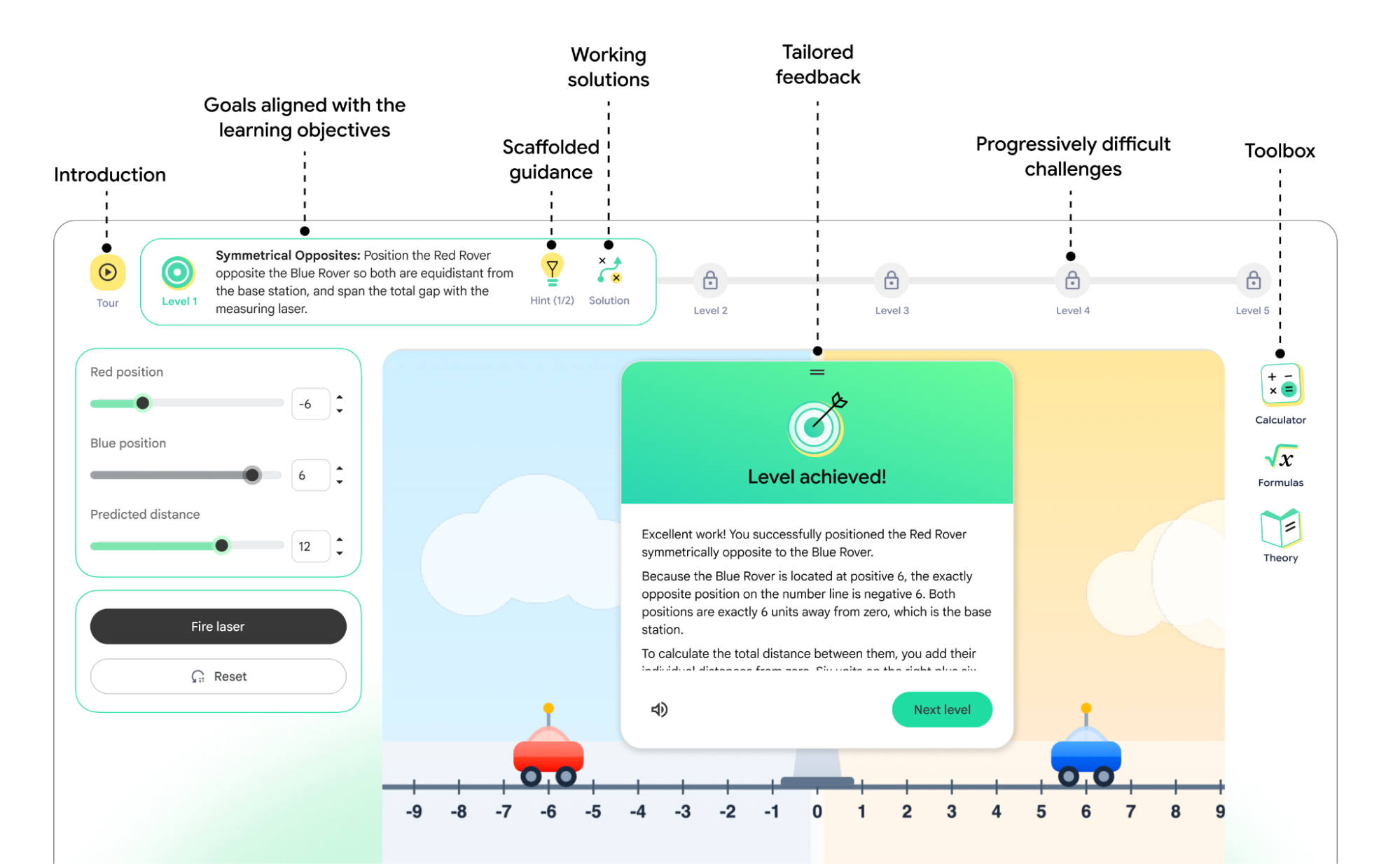
Read Along is an AI-supported literacy feature within Google Classroom that listens while students read aloud and provides assistance during the activity.
Students can practice pronunciation, listen to stories, read independently, and receive word-breakdown support. Questions embedded in the material are intended to assess comprehension alongside decoding and fluency.
Educators can create Read Along assignments directly in Google Classroom and review information for individual students or the whole class.
Available data includes reading accuracy, speed, comprehension, phonics skills, and progress. Teachers can use the information to select or create follow-up reading activities based on student needs.
Read Along includes hundreds of books and texts across eight languages: English, Spanish, Portuguese, Urdu, Arabic, Thai, Indonesian, and Malay. The collection includes Heggerty decodable texts, ReadWorks articles, and localized publisher content.
Students learning English can also receive support in English and a native language. Native-language assistance is available in Spanish, Portuguese, Urdu, Arabic, Indonesian, and Malay.
Gemini can be used within Read Along to generate differentiated reading activities based on a student’s reading level, topic requirements, or phonics skills. Teachers can also add existing classroom materials to provide more specific reading support.
Advanced functions, including progress comparisons over time, cross-assignment analysis, and data extraction through BigQuery, are limited to Education Plus and the Teaching and Learning add-on.
Administrators at organizations that became Google Workspace for Education customers on or after July 7, 2024, will have Read Along enabled by default. Earlier customers must activate the feature through the Admin console.
Read Along can be disabled at domain or organizational unit level. Administrators can also enable it for selected groups even when it is unavailable across a wider organizational unit.
Google adds class context and teacher-led AI activities
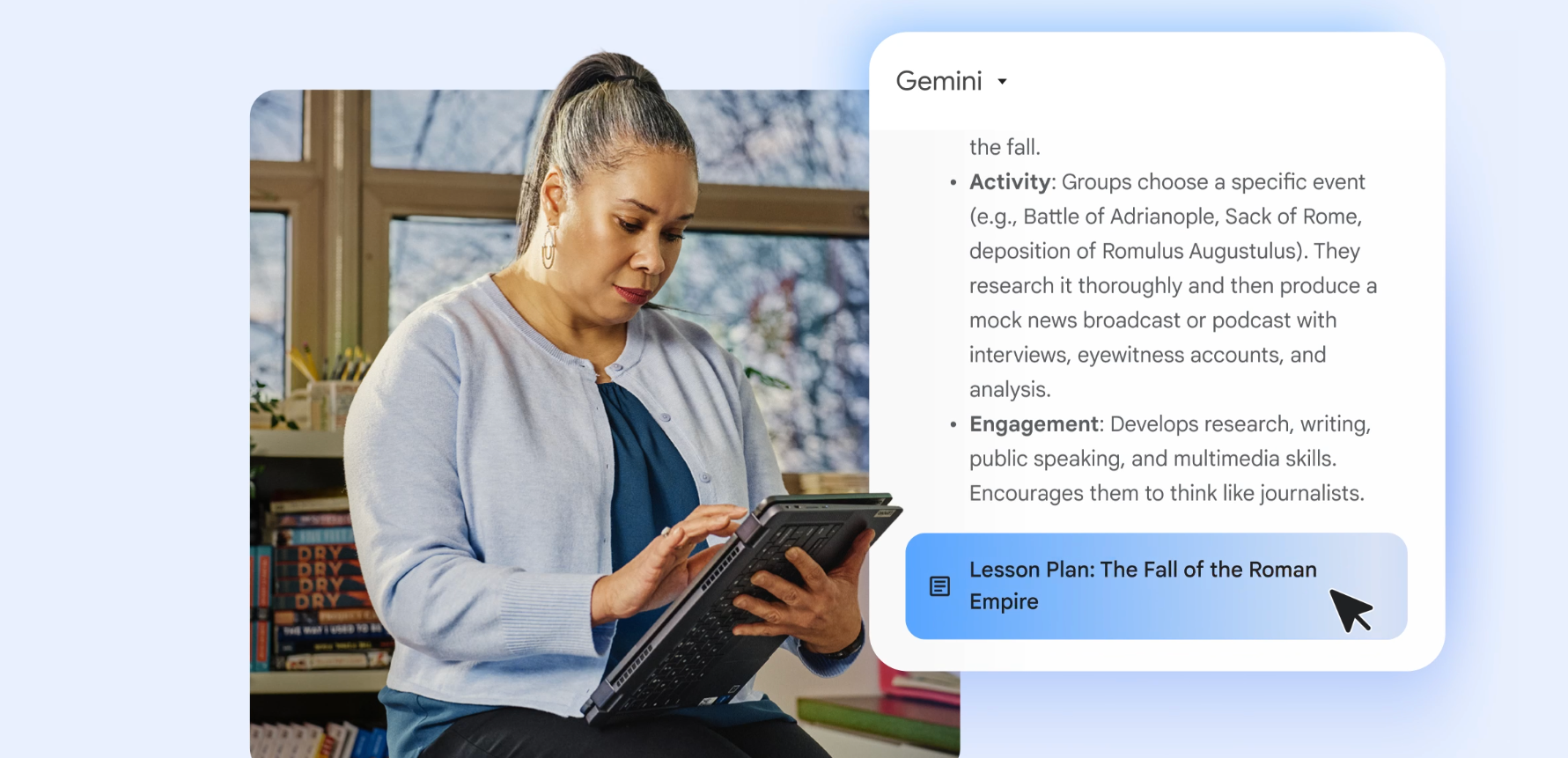
Google is also rolling out a Classroom app inside Gemini, allowing educators to use information from their classes when requesting assistance with teaching tasks.
The company says the integration uses actual class context while keeping educators in control of the resulting materials and activities.
Teacher-led AI activities in Google Classroom will expand over the coming months. Google says these activities will be grounded in school curriculum materials and will provide information about what students understand.
Guided Learning tools are also being developed for Chromebooks, with the stated aim of helping students remain focused while completing assignments.
Alongside the product updates, Google plans to provide AI training to educators in the United States through its Google Educator Series.
Google is also funding aiEDU to help Title I school districts develop AI readiness strategies and supporting ISTE and ASCD research into the use of AI in student assessment.
Study notebooks are rolling out now through personal Google Accounts on the Gemini web app, while Read Along deployment is scheduled to finish by July 3. Mobile study notebooks, school-issued account access, additional exam preparation, and expanded visual lessons are due later this summer.