Adobe makes unified ChatGPT plugin available globally with more than 70 tools
Guest users can access a broad set of Adobe tools, while an Adobe account is required for generative features, Creative Cloud files and work saved across sessions
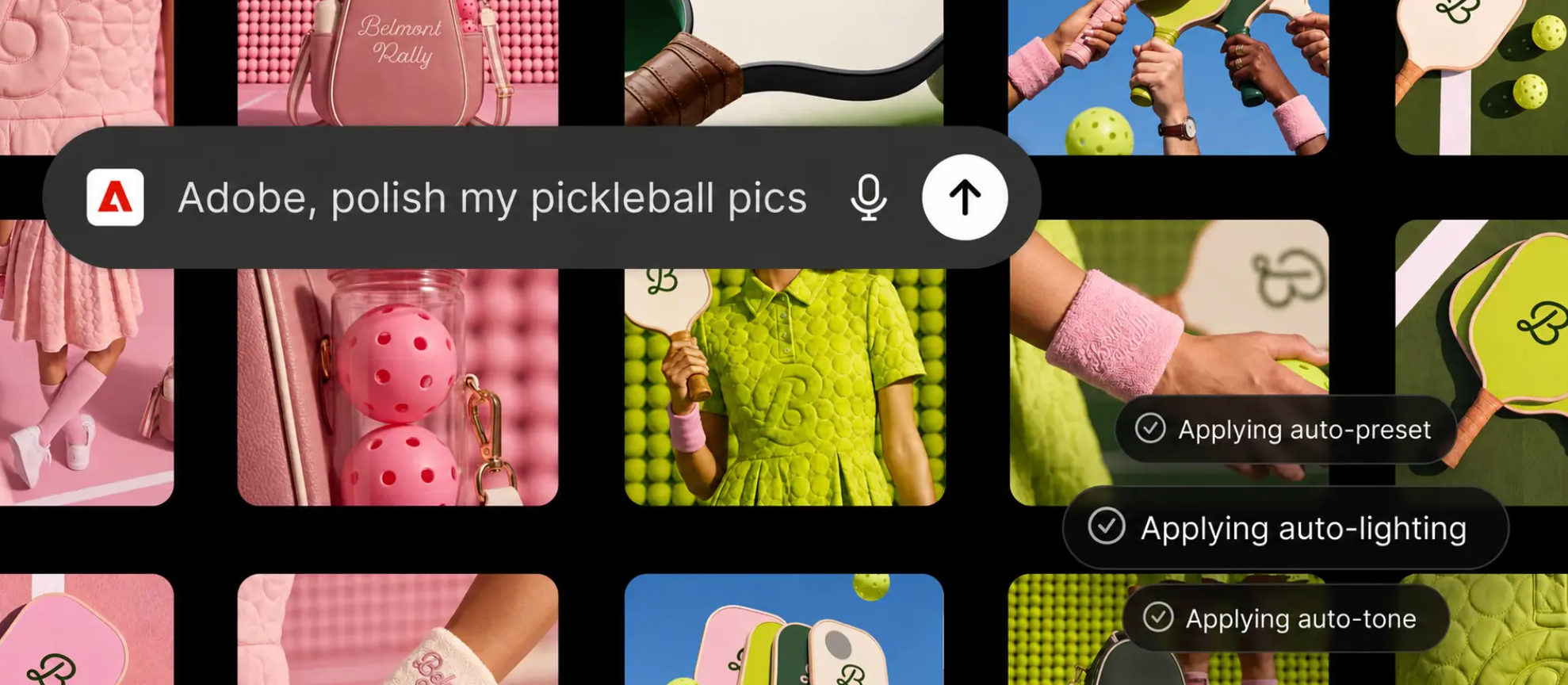
Adobe’s interface example shows preset, lighting and tone adjustments being applied to a collection of pickleball images
Adobe has consolidated tools from Photoshop, Firefly, Acrobat, Premiere and other applications into one plugin that is now available globally across ChatGPT Work and Codex.
The Adobe plugin in ChatGPT draws on more than 70 creative and productivity tools. Users describe what they want to produce, and Adobe says the plugin selects and coordinates the relevant tools behind the scenes.
Writing on LinkedIn, Jeff Gibb, Director of GenAI Partnerships at Adobe, said: “Announcing the next milestone of Adobe’s partnership with OpenAI: Adobe for ChatGPT is now available globally.”
The release brings together tools from Adobe’s previously released ChatGPT apps alongside additional capabilities from Adobe Express, Photoshop, Firefly, Premiere, Acrobat, Lightroom, Illustrator, InDesign and Stock. Adobe does not provide a complete list of the 70-plus tools in its announcement.
One plugin spans images, video, design and documents
Adobe’s examples cover several types of content workflow rather than a single creative task.
A user can upload campaign photographs and ask the plugin to apply a consistent visual style across the set. Adobe says the resulting assets can be saved to Creative Cloud, with a selected image then used to produce a product or packaging mockup.
For video, the plugin is designed to turn longer footage into a highlight reel before adapting it for formats including YouTube Shorts and Instagram Reels.
Design workflows include browsing templates through interactive previews, changing copy and colors, adding animation and converting the result into a PDF for digital distribution or printing.
The document tools can also take information from an uploaded spreadsheet or dataset and format it into PDFs such as event badges, catalogs and infographics. Adobe presents these as possible workflows rather than evidence of tested results or output quality.
The plugin does not replace Adobe’s individual applications. Projects can be transferred into those apps when users need more detailed controls. Adobe gives the example of editing a group of product photographs inside ChatGPT before opening a selected image in Photoshop to work with layers, masks and compositing tools.
Vibhor Chhabra, Product Lead for ChatGPT Ecosystem at OpenAI, says the plugin expands the companies’ existing partnership: “Adobe's category-leading creative and productivity tools help people express their creativity, communicate and be more productive, and we're excited to expand our partnership with Adobe to bring those capabilities into ChatGPT with the Adobe plugin in ChatGPT.”
Adobe sign-in unlocks the wider feature set
Users can start with a broad selection of Adobe tools as a guest. The announcement does not specify which of the 70-plus tools are included in guest access.
Signing in with an Adobe account unlocks generative capabilities, access to Creative Cloud files and the ability to save work between sessions. Adobe does not identify pricing, Adobe subscription requirements or any ChatGPT plan restrictions in the announcement.
The distinction means global availability does not provide every user with the same level of access. Creative Cloud integration and persistent work require an Adobe account, while the exact limits of guest use remain unspecified.
Adobe extends its tools across AI platforms
The unified plugin follows Adobe’s earlier expansion across ChatGPT, Claude and Copilot. The company says integrations with Slack and Gemini are coming soon, although no dates are provided.
Adobe states that the ChatGPT plugin uses the same tools and capabilities that support agents within its own applications. It says the plugin will continue to gain additional creative and productivity features as the company monitors its use.
The Adobe plugin is available globally through ChatGPT on the web and app. It can be added from the Plugins section and selected by typing “@Adobe” in a new conversation or choosing Adobe through the plus button.