Anthropic rebuilds Claude Code desktop app for faster parallel coding workflows
A redesigned desktop version of Claude Code adds in-app editing, terminal access, and side-by-side chats, as Anthropic pushes its coding tool deeper into day-to-day developer workflows.
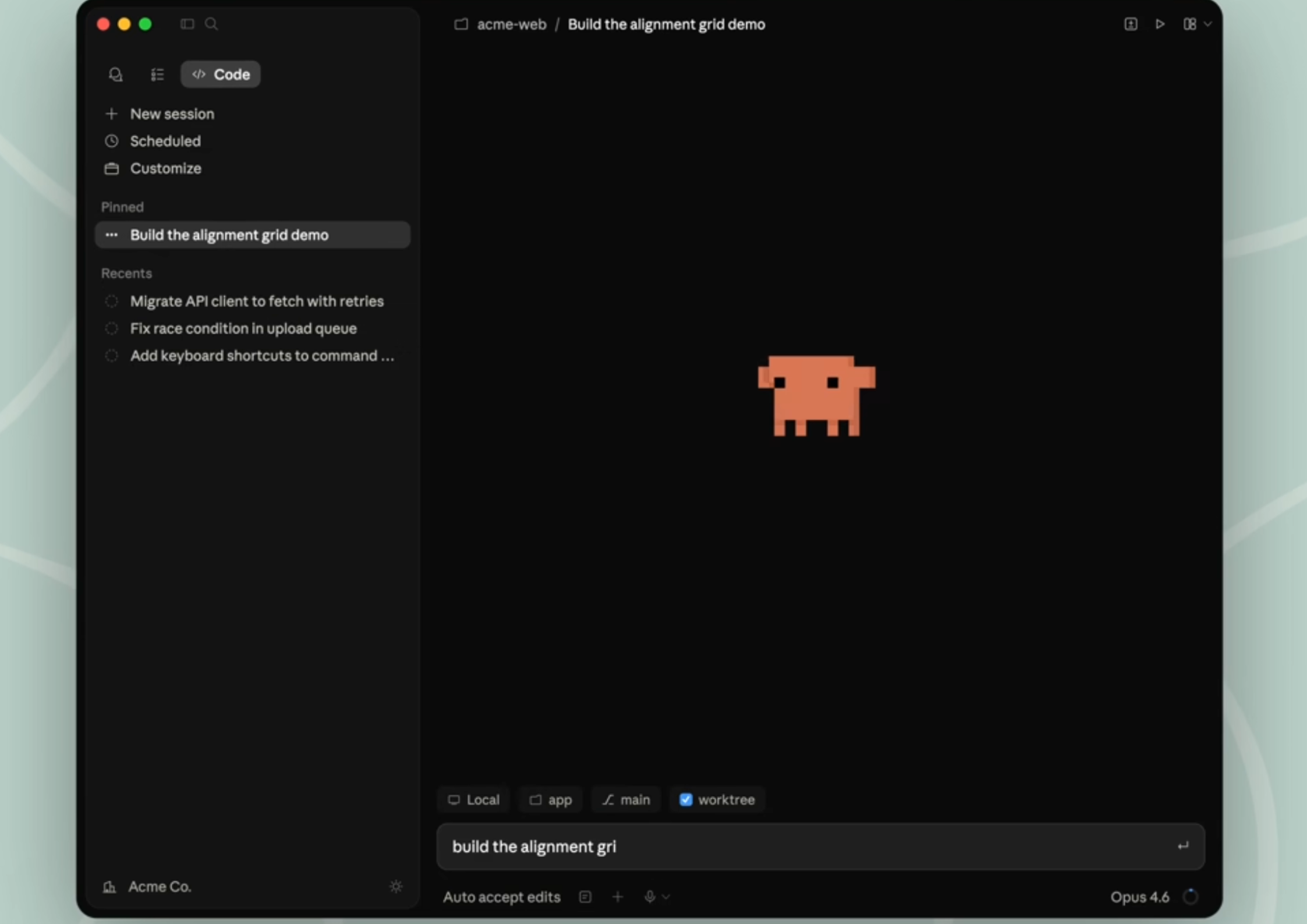
Anthropic’s redesigned Claude Code desktop app introduces in-app file editing, integrated terminal, and parallel workflows for developers.
Anthropic has launched a redesigned version of Claude Code in its desktop app, adding a rebuilt interface for parallel work as competition intensifies around AI coding tools for developers, engineering teams, and technical workflows.
The update introduces an integrated terminal, in-app file editing, a rebuilt diff viewer, side chats, and SSH connections, extending Claude Code beyond chat-based assistance into a fuller development environment. For Anthropic, the move is less about adding another feature and more about making Claude Code a place where developers can stay longer and do more of the job.
Desktop app rebuilt around parallel work
Felix Rieseberg, who works on Claude Code at Anthropic, said in a LinkedIn post: “Today is a big day! We're launching a ~ new ~ version of Claude Code in the desktop app. It's been redesigned from the ground up for parallel work and is a lot faster.”
He added: “It's been my main way to use Claude Code for the last few weeks.”
Rieseberg also highlighted the main additions to the desktop experience: “Some of the new features: An integrated terminal, in-app file editing, a rebuilt diff viewer, side chats, SSH connections - and a large amount of little quality of life improvements.”
The changes reduce the need to switch between tools, with Anthropic aiming to keep coding, review, file changes, and session management inside a single workflow rather than splitting them across terminal, editor, and browser.
Claude Code expands across desktop, IDE, terminal, and web
Anthropic describes Claude Code as an agentic coding tool that can read a codebase, edit files, run commands, and integrate with development tools. It is now available across terminal, desktop, browser, VS Code, and JetBrains, giving Anthropic broader coverage across the environments developers already use.
The desktop app sits alongside other access points, but the updated version appears designed to close the gap between lightweight AI assistance and a more persistent coding workspace. Anthropic’s documentation also points to support for multiple sessions, recurring tasks, cloud sessions, and visual diff review, which places the product more directly in the market for everyday engineering use rather than occasional code help.
The launch comes as AI coding products compete on usability, workflow integration, and speed rather than model access alone. Anthropic is not positioning Claude Code simply as a coding assistant. The product is being built to handle file changes, command execution, review, and coordination across sessions and tools.
For technical teams, that raises familiar questions around oversight, code quality, and how much responsibility is handed to AI inside production workflows.
Anthropic has made Claude Code available through native desktop apps for macOS and Windows, alongside existing access through terminal and IDEs. The updated desktop experience is live now through the Claude desktop app.