ChatGPT comes to Google Sheets and Excel in beta, with direct spreadsheet editing and formula building
OpenAI's integration is available now for Business, Enterprise, Edu, Teachers, and K-12 users globally, letting teams build, analyze, and update spreadsheets in plain language without leaving the tool.
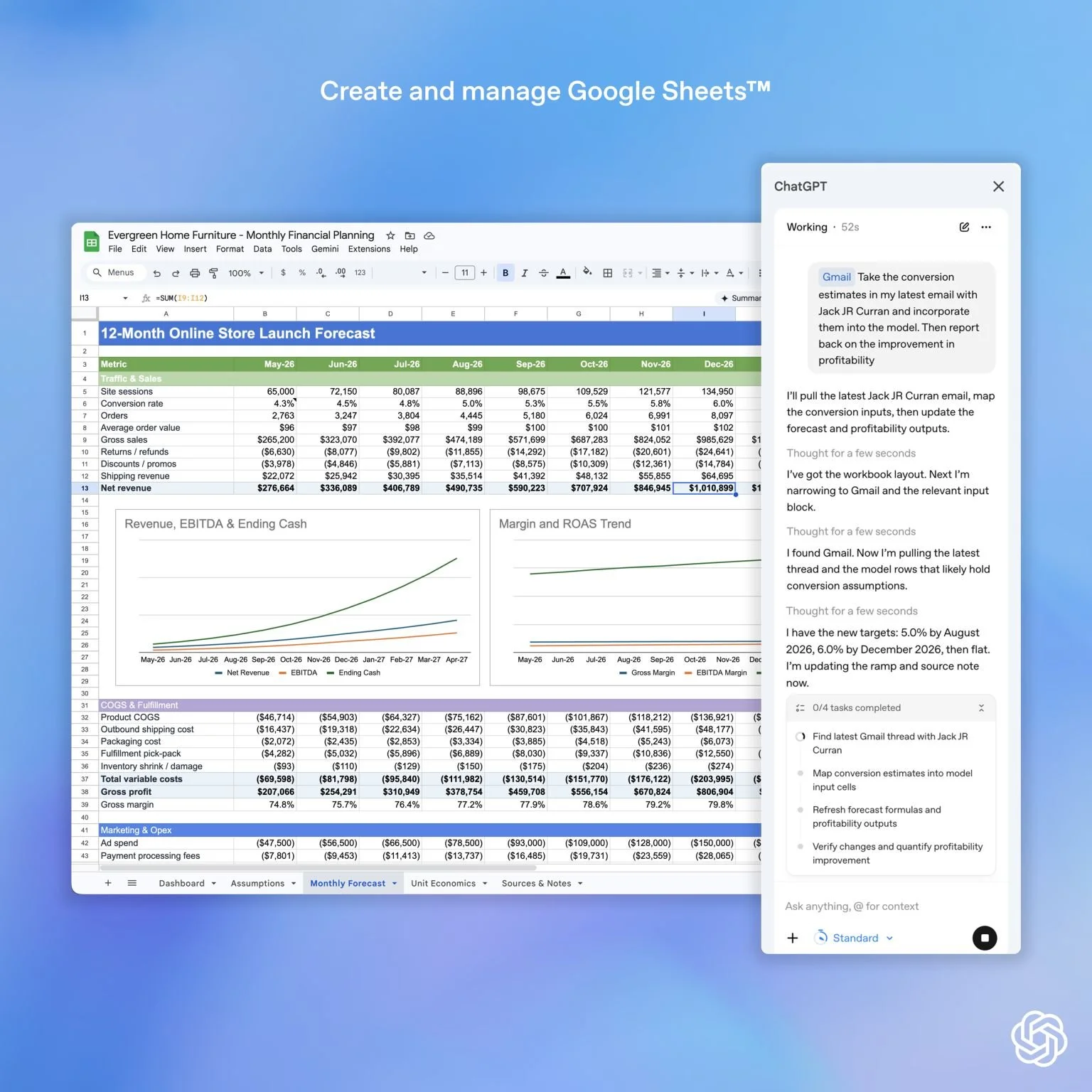
ChatGPT working directly inside Google Sheets, pulling data from Gmail and updating a 12-month financial forecast in real time. The integration, now in public beta, allows users to build, analyze, and edit spreadsheets in plain language without leaving the tool.
OpenAI has rolled out ChatGPT for Google Sheets and Excel in public beta, embedding the AI directly inside both spreadsheet platforms so users can build, edit, and interrogate data without switching between tools.
The integration is available globally for ChatGPT Business, Enterprise, Edu, Teachers, and K-12 users, as well as Pro and Plus subscribers. Users can generate full formatted spreadsheets from a text prompt, ask questions across tabs and formulas, clean data, add scenarios, and update inputs in real time.
Posting on LinkedIn, Srinivas Narayanan, CTO of B2B Applications at OpenAI, said: "You can now use ChatGPT directly within Google Sheets."
What the integration does inside the spreadsheet
Users can start from a blank sheet or an existing one, describing what they need in plain language. According to OpenAI's product page, ChatGPT can build a formatted sheet with formulas included from a simple description, covering use cases from budget trackers and business plan templates to curriculum planners and survey results analysis. It can also ask questions across rows, tabs, formulas, and assumptions, and surface summaries and patterns from within the data.
The integration is designed to be transparent in operation. ChatGPT explains what it is doing, links answers to the specific cells it references, preserves existing formulas and formatting, and asks for permission before making changes. Users can revert edits at any point. For ChatGPT Enterprise workspaces, the feature is disabled by default and must be enabled by administrators through role-based access controls.
Data shared with ChatGPT is not used to train OpenAI's models for Business, Enterprise, Edu, and Teachers plan users by default.
Limitations and what is not yet supported
OpenAI describes the release as an early beta, noting that features and performance may change and that results may be incomplete or incorrect. Several advanced Excel capabilities are not yet supported, including Office Scripts, Power Query, Pivot and Data Model, data validation, named ranges manager, slicers, timelines, and macro or Visual Basic for Applications automation. For large workbooks, some datasets may not fit within the context window, which OpenAI says can lead to partial results.
OpenAI explicitly states that ChatGPT is not a financial or accounting advisor and is not a substitute for professional judgment. Because the tool can edit workbooks directly, it may accidentally change or delete data if a request is unclear, and OpenAI advises users to be specific about what to update and to verify changes before relying on them.
The K-12 and Edu plan inclusion places the integration directly inside school and university workflows where Google Sheets is already widely used for lesson planning, assessment tracking, and student data management. The beta label and the list of unsupported features signal that OpenAI is moving fast on distribution into institutional settings before the product is fully hardened, a pattern that will be familiar to EdTech procurement teams weighing adoption decisions this term.