Microsoft adds AI teaching tools to 365 Education as classroom use rises
New Unit Plans, assignment controls, study tools, and live lesson features will roll out across Microsoft 365 Education, Windows, Teams, and learning management systems
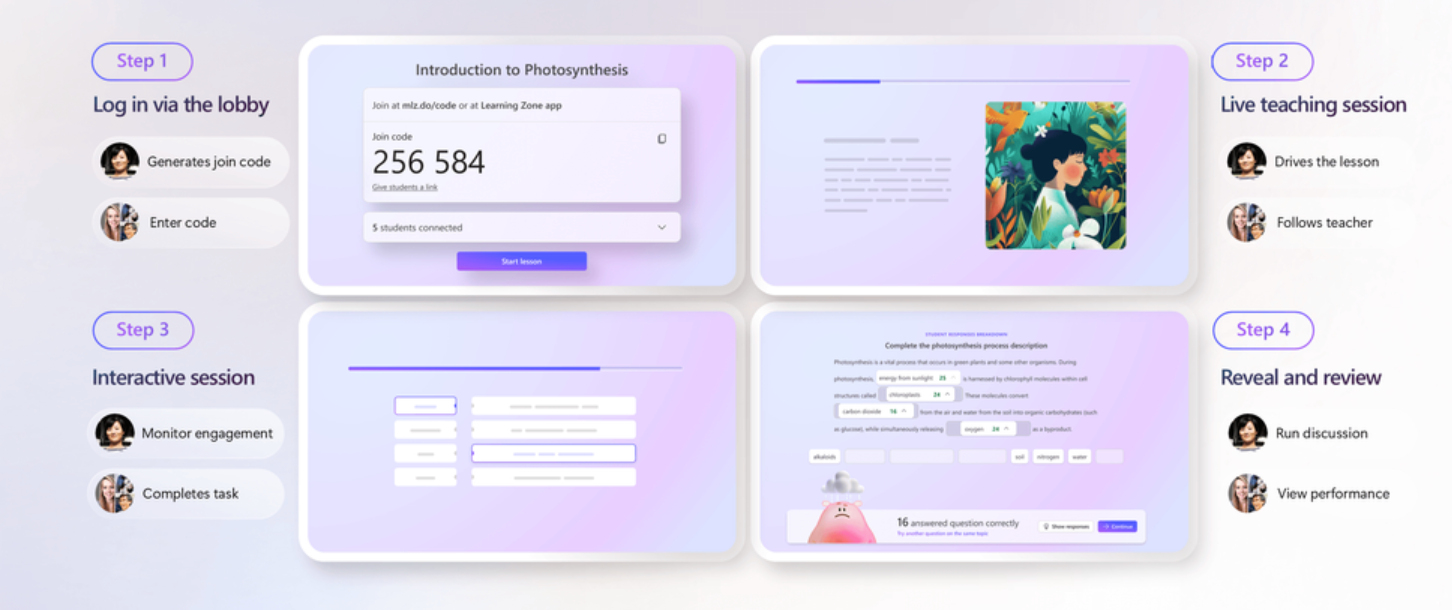
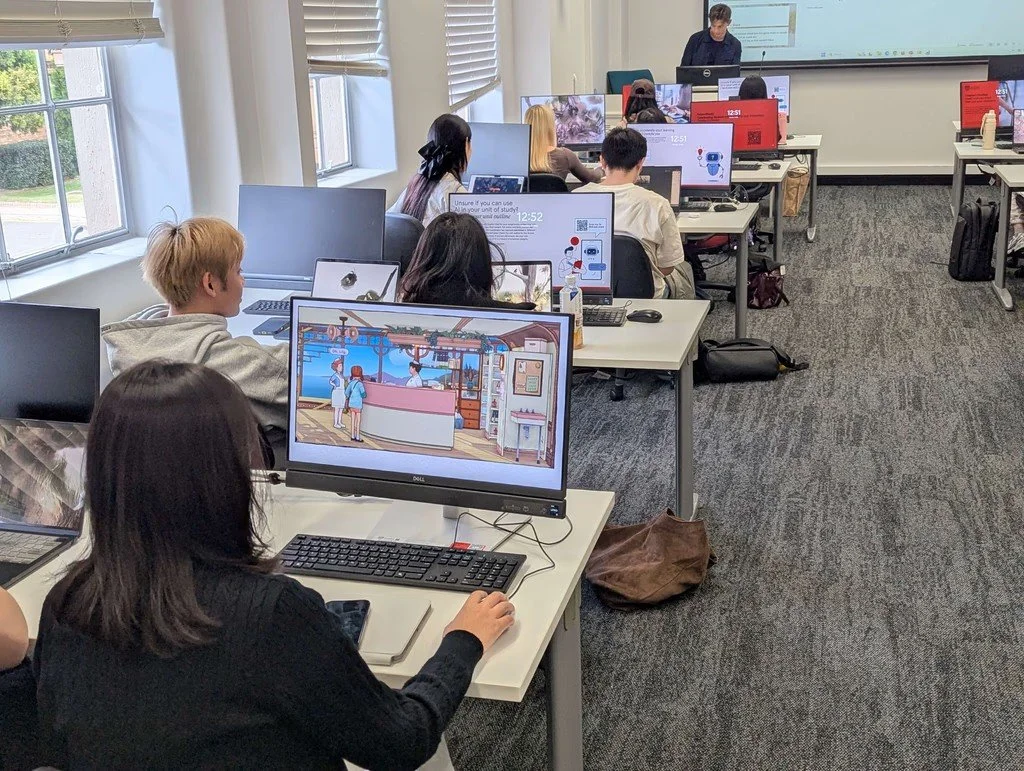
Microsoft Learning Zone will allow educators to control live lesson progression while viewing student activity and reviewing responses
Microsoft has announced a series of artificial intelligence (AI) teaching and learning features for Microsoft 365 Education, including standards-aligned Unit Plans, assignment-level AI rules, guided student study tools, and educator-led interactive lessons.
The product updates arrive alongside Microsoft’s 2026 AI in Education Special Report, which found that 92 percent of students and education leaders, and 88 percent of educators, had already used AI for school-related purposes.
Microsoft surveyed 3,345 students, educators, and education leaders across K-12 and higher education in the United States, the United Kingdom, Australia, Brazil, Japan, and Saudi Arabia. The research included students aged 13 and older and was conducted between February 13 and March 9.
The new features will not all arrive at the same time. Some assignment controls are available now, while Learning Activities are due in July, several Teach and grouping tools are scheduled for August, and Unit Plans are expected next quarter.
Microsoft is also widening access to Copilot Notebooks, Study and Learn, Learning Zone, and teaching tools integrated with learning management systems. Availability will depend on Microsoft 365 Education licensing, preview participation, and administrator settings.
Teach will generate multi-lesson Unit Plans
Microsoft is adding Unit Plans to Teach, its collection of educator tools inside the Microsoft 365 Copilot app.
Educators will be able to enter a subject, grade level, language, unit duration, and supporting context or materials. Teach will then generate a draft containing an overview, essential questions, and a week-by-week structure.
Teachers can edit the draft and add lesson plans, materials, assessments, and other resources. Teach will also suggest follow-up actions, allowing educators to generate supporting content or continue revising the unit through Microsoft 365 Copilot Chat.
Unit Plans are scheduled to become available next quarter. Microsoft described the feature as the most requested addition to Teach, which currently includes 11 teaching tools.
Teach supports academic standards from more than 50 countries. By ISTELive 2026, Microsoft expects its standards coverage to include 54 countries and territories, including England, Scotland, the United States, Australia, Canada, Japan, India, and countries across Europe and the Middle East.
Microsoft is also introducing Remember Settings, which stores previously used subjects and grade levels across Teach, Teams, Microsoft Learning Tools Interoperability, and OneNote. The feature is in preview and is scheduled for general availability in August.
Language detection across Teach, Teams, and Classwork will use the educator’s content and browser settings to determine the language of generated materials. Microsoft said it had also adjusted outputs for English-speaking users in the UK, Canada, and Australia to account for regional spelling, dates, and terminology.
The regional language updates are in preview and are due to become available in August.
Teachers can set AI rules for individual assignments
Student AI Guidelines are now available within Microsoft Education Assignments, allowing educators to state how much AI use is permitted for each piece of work.
The feature includes four levels, ranging from no AI use to full use of Copilot Chat. Teachers can customize the guidance to match school or district policies, and students will see the selected rules when they open an assignment.
Microsoft’s report identified academic integrity as the leading AI concern for 41 percent of students and 42 percent of educators.
The assignment controls give teachers a way to distinguish between tasks where AI is prohibited, restricted, or expected. Microsoft has not presented the settings as an enforcement or detection system, with the feature focused instead on communicating expectations before students begin work.
Microsoft is also adding standards alignment to Teams Assignments. Educators can attach educational standards to assignment instructions and use the same standards when generating rubrics.
Learning Activities, including flashcards, quizzes, matching tasks, and fill-in-the-blank exercises, can now be added within Assignments and Classwork. Students will also be able to generate study activities from documents and PDF files shared by their teacher.
Learning Activities are currently in preview and are expected to become generally available in July.
Group assignment tools will allow teachers to reuse groups created for previous assignments and move students between groups without recreating the task. From August, educators will also be able to provide different documents, links, and resources to individual groups within one assignment.
Study and Learn shifts Copilot away from direct answers
Microsoft is positioning its Study and Learn Agent as a guided learning experience rather than a general answer tool.
Study and Learn is available through Copilot Chat for students aged 13 and older at no additional cost with Microsoft 365 Education. It uses scaffolded questions, flashcards, quizzes, matching activities, and feedback to help students work through concepts and writing tasks.
Access is controlled by institutions. Information technology administrators must first enable Copilot Chat for K-12 students, after which Study and Learn is made available by default.
Educators will also be able to direct students into Study and Learn from an assignment in the coming months.
The agent is expanding beyond English in the United States, with additional localized versions being rolled out. Microsoft has also published a white paper outlining the learning science principles used in its design.
Copilot Notebooks is now available through the Microsoft 365 Copilot app for all Microsoft 365 Education A1, A3, and A5 licenses, without requiring an additional Copilot premium license.
Students can add lecture slides, notes, handouts, readings, and other source materials to a notebook. Copilot responses are then grounded in those materials rather than relying solely on a general prompt.
The Study Guide function can turn uploaded materials into topic summaries, flashcards, quizzes, fill-in-the-blank activities, and matching exercises. Microsoft said Copilot Notebooks will also support the creation of Word documents, Excel spreadsheets, and PowerPoint presentations in a future update.
Learning Zone adds educator-led live lessons
Microsoft Learning Zone is expanding beyond self-paced activities with an educator-led classroom mode.
Teachers will be able to control the progression of a live lesson while students participate through their own devices. Educators will receive aggregated information about student activity in near real time, allowing them to adjust instruction during the session.
Learning Zone lessons can also be attached to Microsoft Education Assignments. Student grades and feedback can be returned to a connected learning management system.
Starting at ISTELive 2026, educators will be able to trial Learning Zone lesson generation on any Windows 11 computer until August 2027. The trial will support the creation of lessons containing up to ten slides.
Learning Zone currently supports lesson generation in English and Spanish. Microsoft plans to add French, Italian, Portuguese, and Japanese by the 2026 back-to-school period.
The wider Learning Zone experience and its ready-to-learn content gallery are already available in 53 languages.
Microsoft has also worked with The Economist Educational Foundation’s Topical Talk program on a free AI literacy lesson collection. The resources combine teacher-led discussion about the use of AI with activities covering the assessment and verification of AI-generated information.
Teaching tools move into Windows and learning platforms
Microsoft is introducing Teach and Learn shortcuts as preview experiences on the Windows taskbar.
Teach provides direct access to lesson planning, quizzes, rubrics, Learning Zone lessons, and other curriculum creation tools. Learn allows students to open flashcards, matching tasks, fill-in-the-blank activities, and the Study and Learn Agent where eligible.
Both Windows experiences are available in preview to Microsoft EDU Insiders.
Microsoft is also bringing Copilot Teaching Tools into learning management systems through Microsoft 365 Learning Tools Interoperability.
The tools can adjust the language, reading level, length, and difficulty of learning content, align materials with educational standards, and generate activities such as flashcards and matching exercises.
Microsoft 365 LTI works with Canvas, PowerSchool Schoology Learning, Blackboard, Brightspace by D2L, Moodle, and other platforms that support the LTI Advantage standard.
The learning management system tools do not require a Microsoft 365 Copilot license. Microsoft said teachers and students with an eligible Microsoft Academic A1, A3, or A5 license can use the integrated teaching and learning features.
Administrators must deploy Microsoft 365 LTI and enable the Copilot Teaching Tools preview before instructors can access the functions within their courses.
Microsoft is also developing Education Data Grounding, which uses information from Classwork, Assignments, Grades, Insights, and other Microsoft education services to provide more relevant Copilot responses.
Survey identifies demand for regular AI training
Microsoft’s survey found that 66 percent of educators and 52 percent of students wanted AI training every month or quarter.
It also found that 87 percent of educators and education leaders, and 79 percent of students, considered the effective and responsible use of AI important to students’ futures.
Justin Spelhaug, President of Microsoft Elevate, wrote on LinkedIn: "AI is already part of how students learn, how educators teach, and how institutions operate.
"The real question is whether schools have the guidance, training, and trusted tools to help people use AI well."
Microsoft Elevate for Educators provides training, credentials, community support, and capacity-building resources for teachers and education leaders.
Microsoft has also supported an AI Literacy Framework developed by the European Commission and the Organisation for Economic Co-operation and Development with CodeAI. The framework is intended to provide policymakers, curriculum designers, and teachers with shared expectations for what students should understand and be able to do with AI by the end of school.
Microsoft worked with ISTE and ASCD on an AI Literacy for Educators credential pathway aligned with the framework. The credential connects to the Expert tier of Microsoft Elevate for Educators, which is now accepting applications.
Student AI Guidelines are available now, Learning Activities are scheduled for July, and Remember Settings, language updates, and additional group assignment features are due in August. Unit Plans will follow next quarter, while the Windows 11 Learning Zone generation trial will run until August 2027.