OpenAI launches ChatGPT Work for multi-step projects across apps and files
The new ChatGPT mode can gather context, create outputs and keep longer workflows moving, with education use cases spanning course redesign, accreditation, research briefs and admin work.
OpenAI has launched ChatGPT Work for longer, multi-step projects across apps, files and connected tools.
OpenAI has launched ChatGPT Work, a new mode in ChatGPT designed to carry out longer, multi-step projects across apps, files, connected tools and the web.
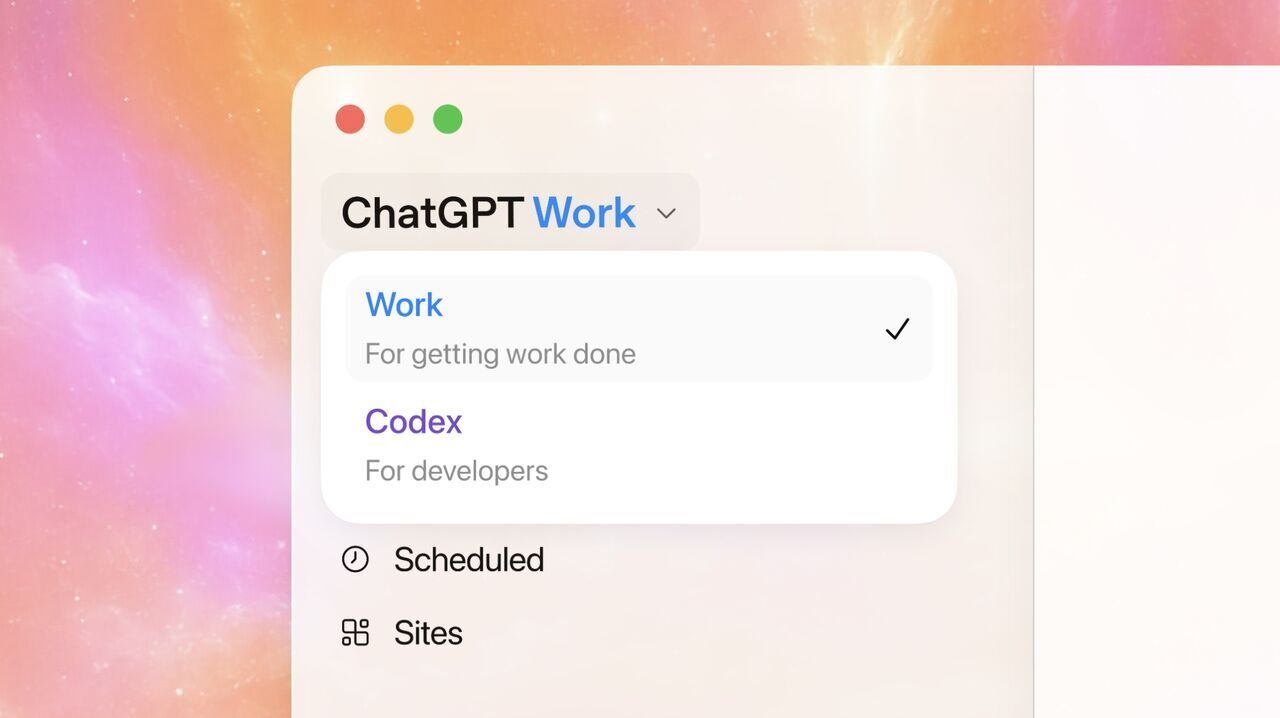
The update brings Chat, Work and Codex into one ChatGPT experience. Chat is positioned for immediate conversation, reasoning and creation; Work is designed for projects that need multiple steps and sources; Codex remains focused on coding, repositories and technical implementation.
ChatGPT Work is powered by GPT-5.6 and is designed to move from a user’s goal to a plan, then through a sequence of approved steps. OpenAI says users can follow progress, answer questions, redirect the workflow and review results before they are used or shared.
The general rollout covers workplace tasks including documents, slide decks, spreadsheets, dashboards, Sites and recurring tasks. For schools, colleges and universities, the update is also being pitched at the reality of education work: course materials in one place, student evidence in another, planning notes elsewhere, and institutional priorities spread across emails, dashboards, policies and project systems.
On web and mobile, ChatGPT Work is rolling out first to Pro, Enterprise and Edu users, with Plus and Business access following over the next few days. The updated ChatGPT desktop app is available globally for Mac and Windows, with Chat, Work and Codex available on every plan, including Free.
Work turns a goal into a managed workflow
OpenAI is positioning ChatGPT Work as an agent for tasks that are too long or too fragmented for a normal chat request.
A user can define the outcome, audience, constraints and source materials. ChatGPT Work can then propose a plan, identify missing context, use available files and connected tools, complete approved steps and return a set of outputs with open questions or decisions that still need a person.
ChatGPT for Education said in a LinkedIn post: “Education work rarely lives in one place.”
The education announcement gives examples across teachers, faculty, students, staff and institutional leaders. Teachers could use ChatGPT Work to combine unit plans, curriculum standards and student needs into lessons, slide decks, classroom activities and differentiated supports. Faculty use cases include redesigning assignments, building course tools, synthesizing research and preparing students for deeper discussion.
Education use cases start with known work
OpenAI also points to student use cases, with ChatGPT supporting study tasks and Codex handling projects that involve data work, prototypes and technical creation. For staff, the examples are more operational: summarizing records, drafting communications, updating trackers and preparing reports. Leaders could use ChatGPT Work to synthesize evidence across strategic plans, dashboards, meetings and policy documents.
The education-specific examples are less about single outputs and more about joined-up work across systems. A course refresh could start with existing materials and learning goals, then move into accessibility checks, learner feedback analysis, draft syllabus updates, revised assignments and a summary of changes for review. A program review or accreditation workflow could organize evidence against requirements, identify missing materials, assign owners and assemble a draft packet before final approval.
OpenAI also gives research and planning briefs as a use case. In that workflow, ChatGPT Work can compare approved sources, highlight where evidence conflicts, draft a cited brief and keep unresolved questions visible for the team. For academic operations, it can draw on project systems, policies and team notes to clarify next steps, draft updates and keep implementation plans current.
Kirk Gulezian, K-12 & Higher Education at OpenAI, said in a LinkedIn post: “Some of the hardest work in schools and universities stretches across people, systems, and months. A faculty member rebuilding a course. A student success team coordinating support. A student preparing for the move from college to a career.”
Connected tools, Sites and admin controls
ChatGPT Work can draw on connected tools where they are supported and enabled. OpenAI names systems including Google Drive, Microsoft 365, Slack, Teams, email, calendars, learning management systems and project trackers in the education announcement.
Scheduled Tasks can run recurring work at chosen times. In education, that could include reviewing new approved messages each week and refreshing a meeting agenda, checking a dashboard each morning, summarizing recurring course Q&A themes before class, or updating a project tracker each Friday.
OpenAI is also introducing Sites in public beta. Sites can turn the result of a ChatGPT Work project into an interactive site or web app, such as a course resource hub, internal project tracker, dashboard, launch calendar or briefing site.
Governance is part of the rollout. OpenAI says Enterprise and Edu admins can manage who has access, what context ChatGPT can use, which tools it can connect to and what actions it can take. For ChatGPT Edu and ChatGPT for Teachers, workspace admins can control access, connected tools, browser use, cloud network access, sensitive actions and, on desktop, approved local files and applications.
The ChatGPT Work rollout is now underway. OpenAI says capabilities, supported integrations, pricing and controls may vary by plan, platform and administrator configuration.